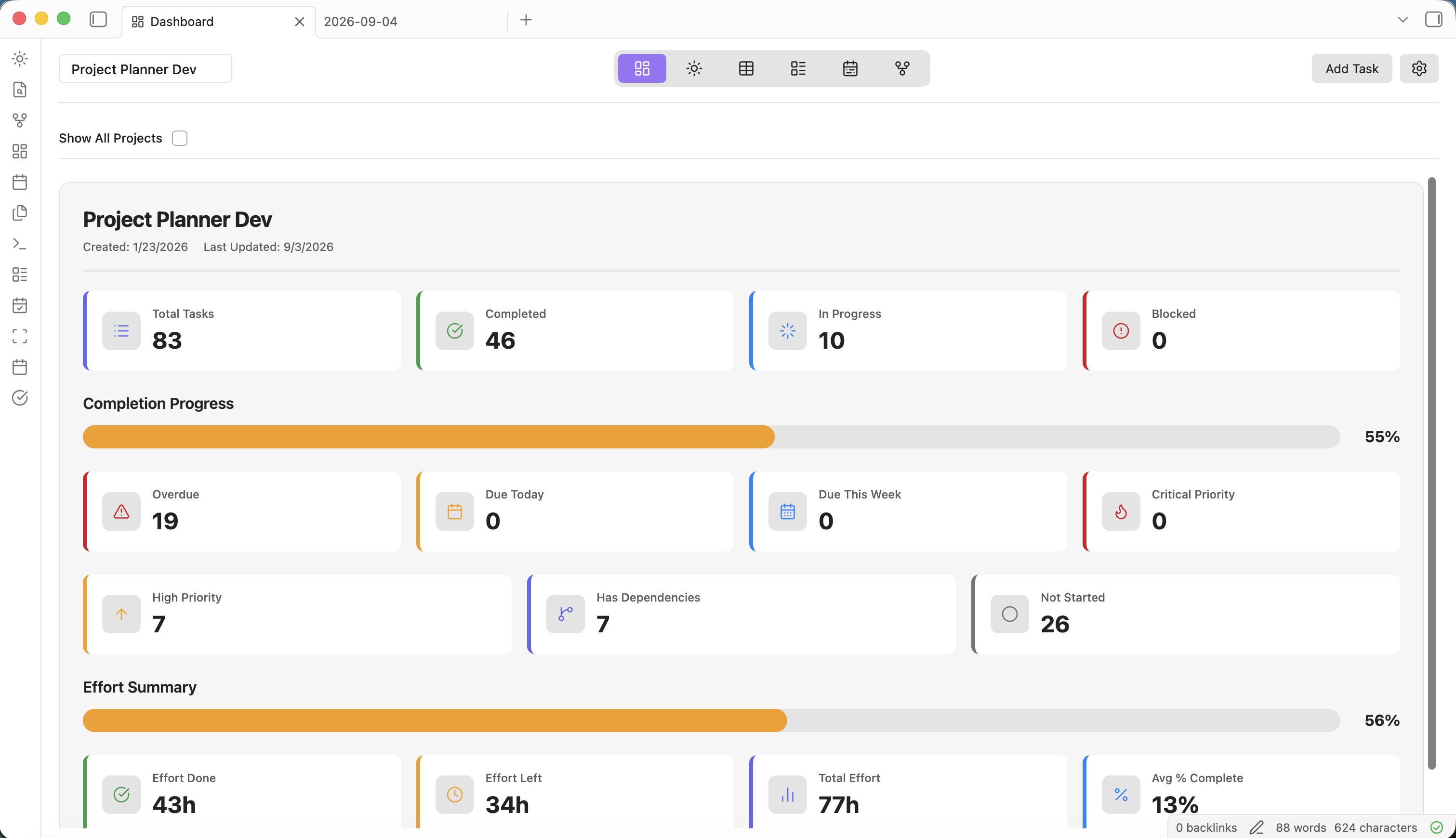
Seven powerful views, bidirectional markdown sync, and a vault-first architecture. Project Planner gives you professional-grade project management without ever leaving your notes.
Get a high-level overview of all your projects with visual project cards, clickable KPI metrics, effort summaries, and budget tracking. Drill into overdue tasks, due dates, and priority counts with a single click.
A cross-project view of everything due today, this week, or this month — regardless of which project tasks belong to. Three tabs (Today, Week, Month) keep your personal workload front and centre.
Manage tasks in a powerful, hierarchical spreadsheet-like interface. Sort, filter, and inline-edit across customizable columns — with parent roll-up, effort tracking, and drag-and-drop reordering.
Visualize your workflow with a Kanban-style board. Organize tasks into customizable colour-coded buckets, drag cards between columns, and see optional checklist or description previews directly on cards.
Plan and schedule projects with an interactive Gantt chart. Drag task bars to adjust dates, see MS Project-style dependency arrows, and let auto-scheduling cascade date changes through your dependency chain.
An interactive force-directed network diagram of task dependencies. Understand how tasks connect, identify bottlenecks, and navigate directly to any task with a double-click.
A dedicated sidebar panel for comprehensive task editing. Manage every task property — including effort tracking, cost tracking, and dependencies — without leaving your current view.
Beyond views, Project Planner is built on powerful foundations that make your data portable, private, and deeply integrated with Obsidian.
Create tasks in the visual interface or write them directly in Markdown — Project Planner keeps everything in sync. Edit YAML frontmatter, use Dataview queries, and integrate with your existing Obsidian workflow.
Learn more →Each project's tasks are stored in a .planner-tasks.json file inside your vault — Git-trackable and synced by Obsidian Sync. Settings live in data.json. No external databases, no proprietary cloud formats.
Learn more →Track hours done and remaining per task. % Complete is calculated automatically. Set task costs as fixed amounts or derived from effort × hourly rate. Monitor budget vs actual spend on the Dashboard.
Learn more →Parent tasks automatically aggregate dates, effort, and % complete from their children. When a predecessor task's dates change, all dependent tasks shift automatically to maintain the dependency relationship.
Learn more →Tag tasks from your Daily Notes and have them automatically imported into Project Planner. Seamlessly bridge your daily journaling workflow with structured project management.
Learn more →Link directly to specific tasks from anywhere using the Obsidian URI protocol. Share task links in notes, chat, or documentation for instant one-click access.
Learn more →Every task in Project Planner supports a comprehensive set of properties that work across all six views. From simple to-dos to complex project plans, your tasks carry the context you need.
View Data Structure DocsProject Planner isn't trying to replace Obsidian — it's trying to enhance it. Everything follows the principles that make Obsidian great.
No cloud, no accounts, no external databases. Your vault is the single source of truth.
Standard markdown with YAML frontmatter. Readable by any text editor, forever.
Zero data leaves your device. Works entirely offline. No telemetry, no tracking.
Six views, custom statuses, configurable buckets. Your workflow, your rules.
Install Project Planner and transform your Obsidian vault into a project management powerhouse.