Plan smarter. Visualize better. Achieve more.
Turn your Obsidian vault into a full-featured project hub. Track tasks, visualize progress, and hit every deadline — without ever leaving the tools you already love.
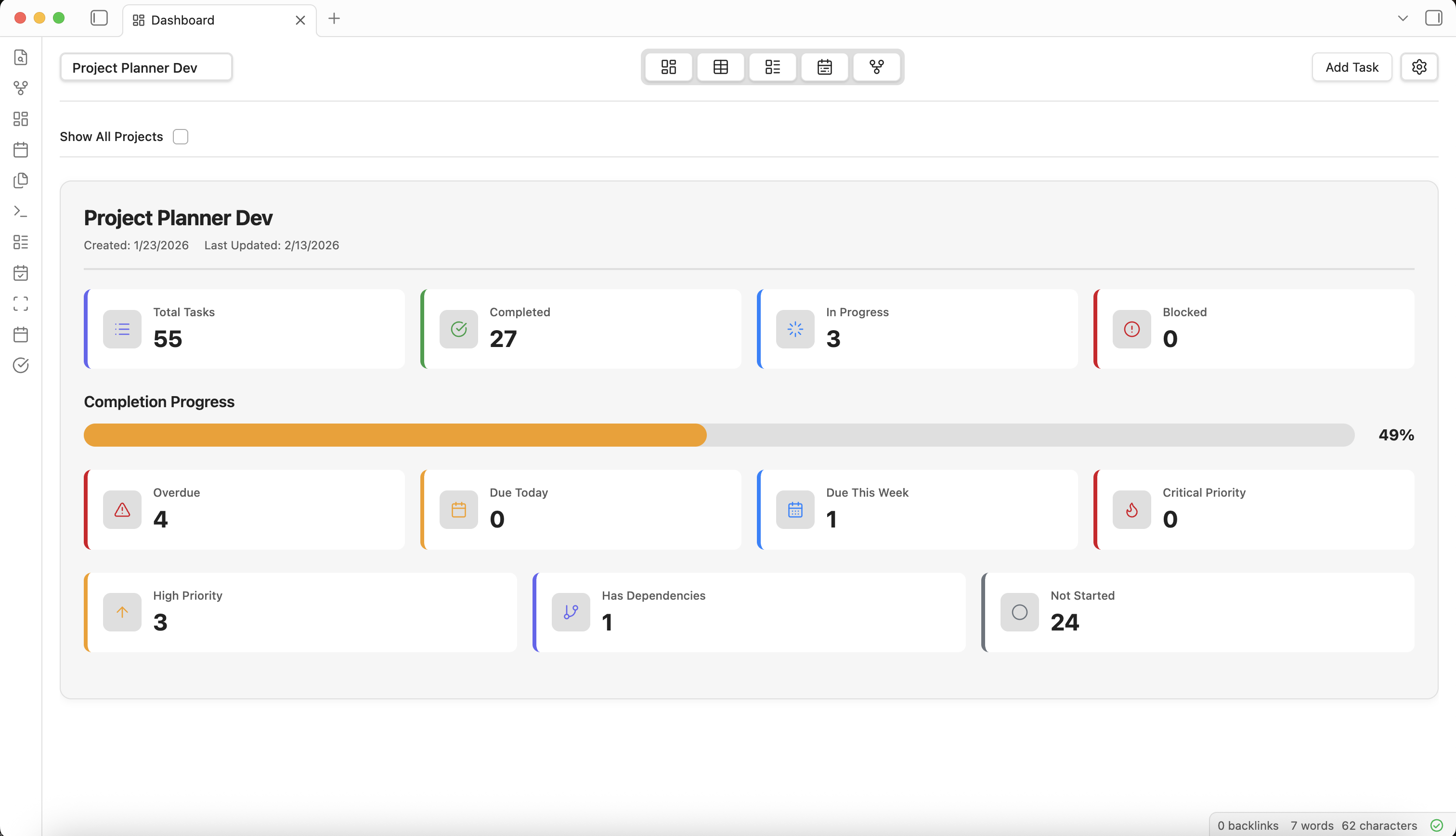
Turn your Obsidian vault into a full-featured project hub. Track tasks, visualize progress, and hit every deadline — without ever leaving the tools you already love.
Visualize and manage your projects with flexible view options tailored to your needs. Switch between views at any time to find the perspective that works best.
Get a comprehensive overview of all your projects and tasks with customizable widgets, metrics, and at-a-glance status tracking.
Manage tasks in a powerful spreadsheet-like interface with sortable columns, filtering, and bulk editing capabilities.
Visualize your workflow with a Kanban-style board, drag-and-drop tasks between columns, and track progress visually.
Plan and schedule projects with a Gantt chart timeline, visualize dependencies, and manage deadlines effectively.
See a visual representation of task relationships. Understand how tasks connect and identify bottlenecks at a glance.
Create tasks in the visual interface or write them directly in markdown — Project Planner respects both workflows seamlessly.
Powerful project management tools integrated directly into your vault. No external databases, no cloud dependencies — just your notes and your tasks, together.
All your tasks and projects live as markdown files in your vault, giving you complete ownership and portability of your data.
Link tasks directly to your notes, leverage Obsidian's powerful backlinks, and automatically generate task notes that sync bidirectionally.
Works entirely within your Obsidian vault with no external databases or cloud dependencies—your project data stays where it belongs.
Built-in support for Obsidian's Daily Notes workflow, allowing you to tag tasks and create time-based references automatically.
Project Planner is built on the foundation of Obsidian's core values: local-first, privacy-focused, and future-proof. Your project data belongs to you.
Your tasks and projects live as plain markdown files in your vault. No cloud sync required, no external servers, no vendor lock-in.
Everything is stored in human-readable markdown with YAML frontmatter. Your data will be readable decades from now and works with any text editor.
Never sends data to external servers. No accounts needed. Works completely offline. Your vault's security is never compromised.
Project Planner is free to use. Development is shaped by the community through open feedback, feature requests, and transparent roadmaps.
Install Project Planner today and bring powerful project management to your Obsidian vault.