Everything you need to manage projects inside Obsidian

Six powerful views, bidirectional markdown sync, and a vault-first architecture. Project Planner gives you professional-grade project management without ever leaving your notes.

📊 Your command center

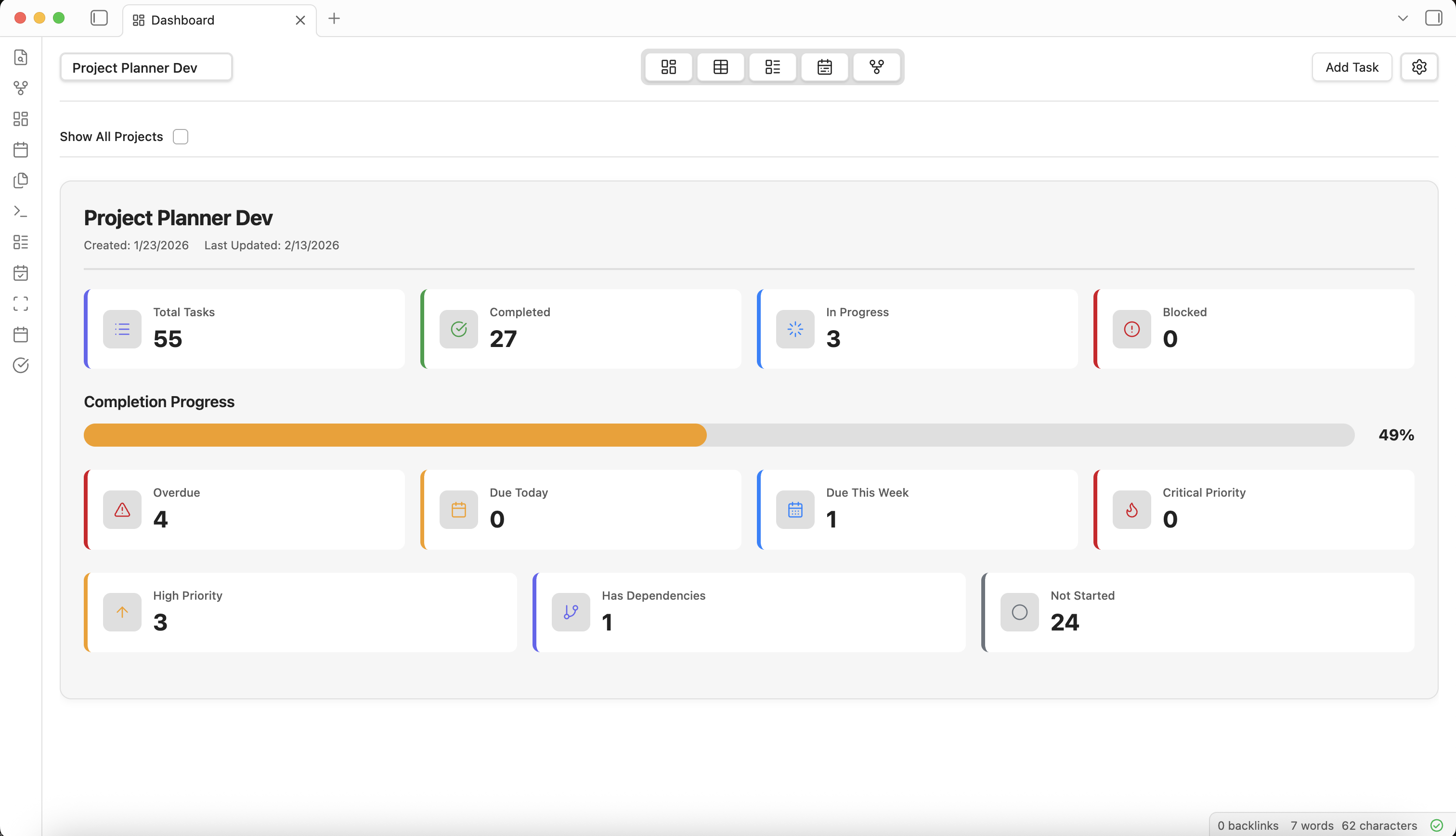
Dashboard View

Get a high-level overview of all your projects and tasks with visual project cards, KPI metrics, and real-time status tracking. See completion rates, overdue items, and project health at a glance.

  • Visual project cards with key metrics
  • Task completion rates and statistics
  • Multi-project overview in one place
  • Real-time updates as tasks change
Learn more about Dashboard View →
Project Planner Dashboard View
📋 The power of a spreadsheet

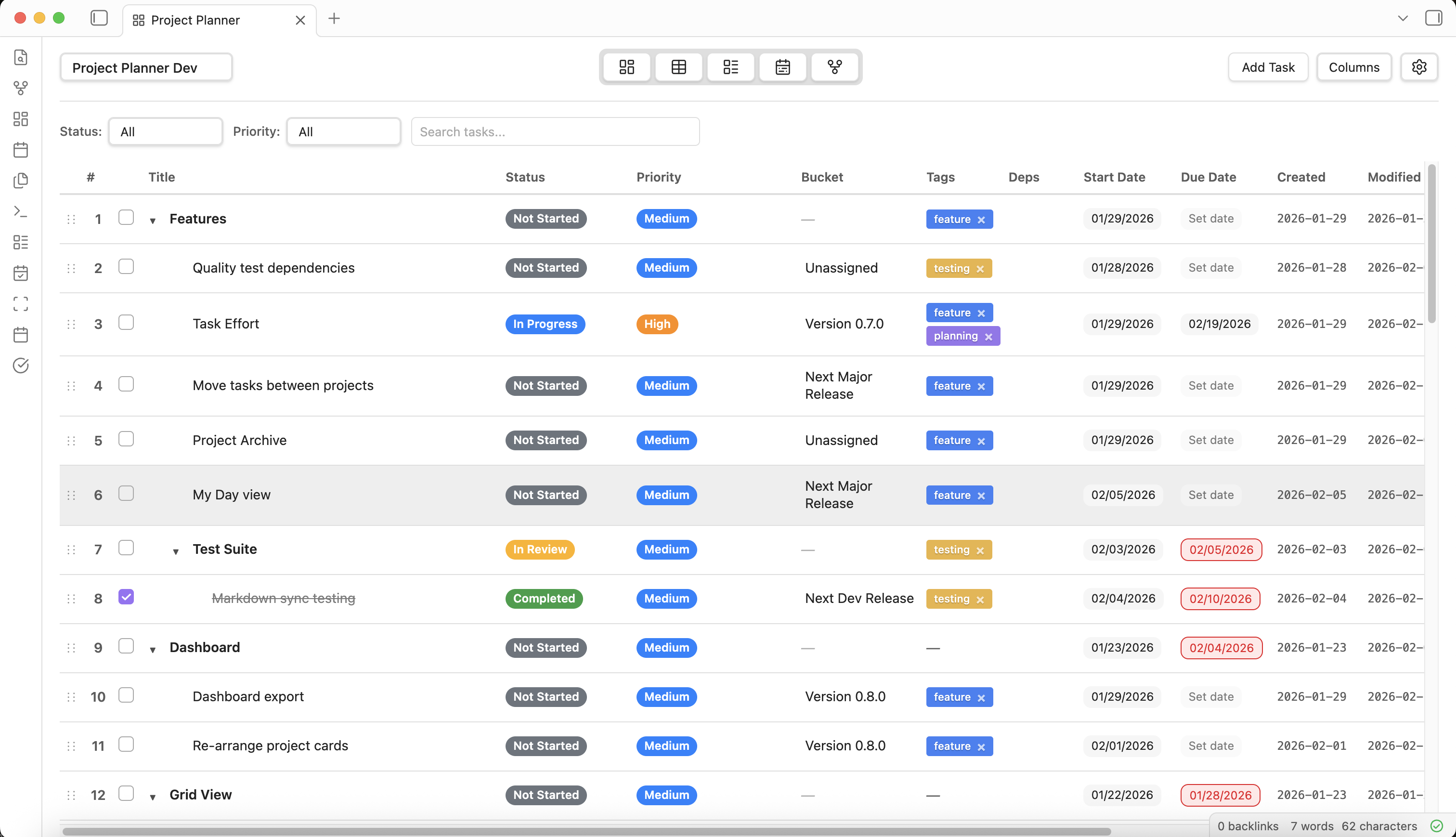
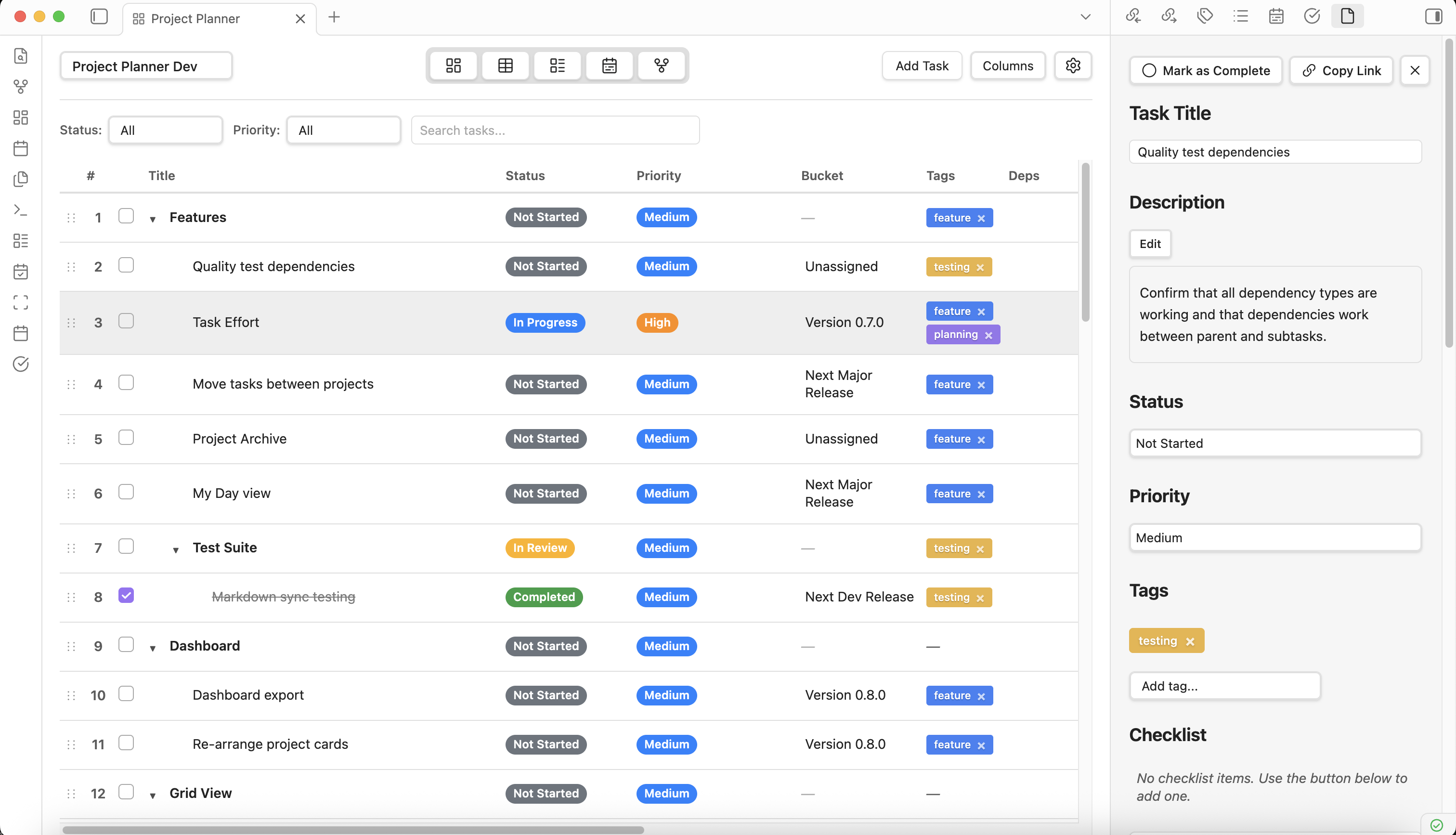
Grid View

Manage tasks in a powerful, hierarchical spreadsheet-like interface. Sort, filter, and bulk-edit across customizable columns — all with support for parent-child task relationships and drag-and-drop reordering.

  • Hierarchical task organization with subtasks
  • Customizable, sortable, and reorderable columns
  • Inline editing for quick updates
  • Drag-and-drop task reordering
  • Smart filtering by status, priority, and tags
Learn more about Grid View →
Project Planner Grid View
🗂️ Kanban-style workflows

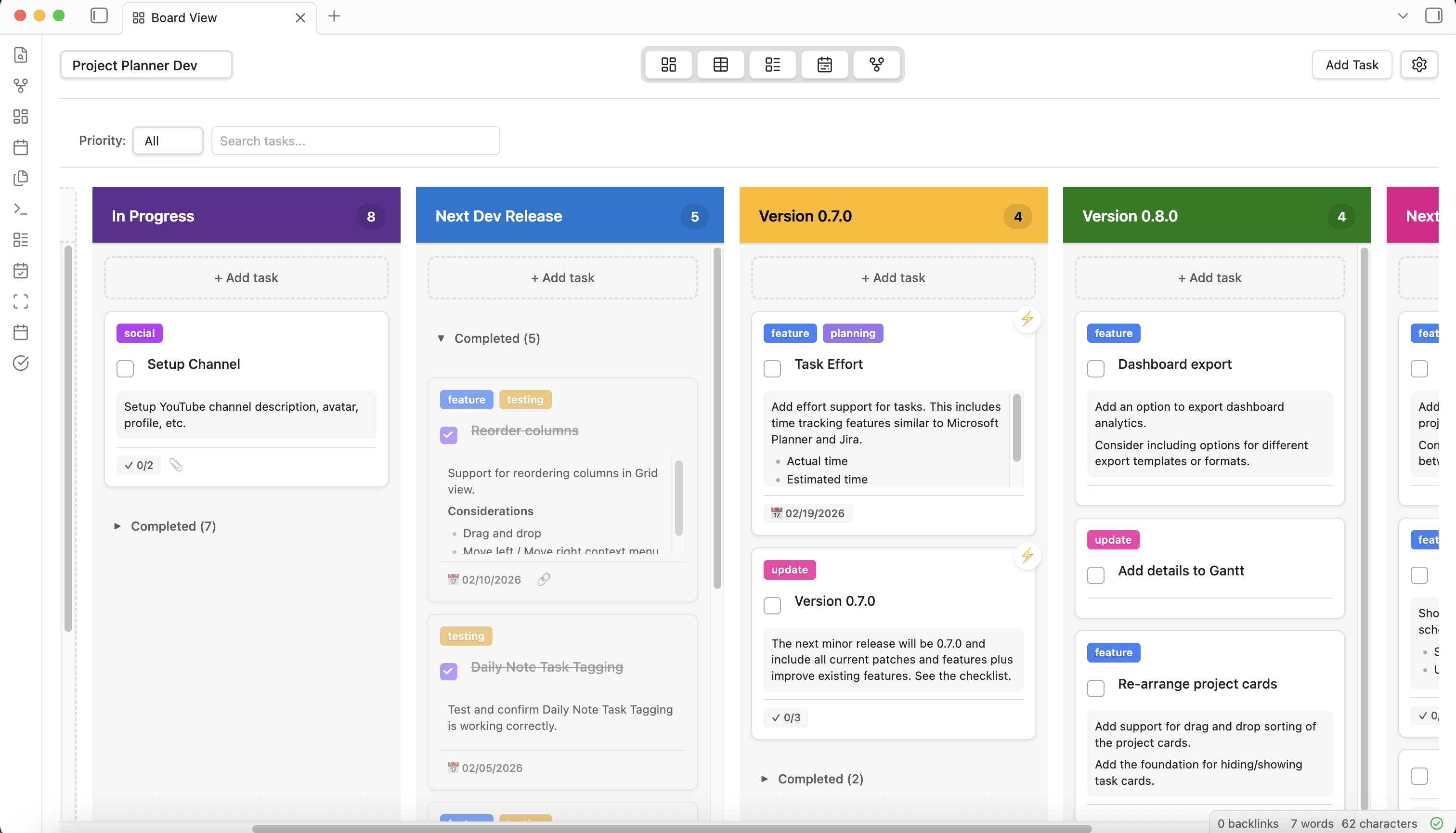
Board View

Visualize your workflow with a Kanban-style board. Organize tasks into customizable buckets, drag cards between columns, and track progress visually. Each project can have its own unique bucket configuration.

  • Customizable buckets per project
  • Task cards with priority, tags, and due dates
  • Active and completed task sections per bucket
  • Independent from task status for flexible organization
  • Drag-and-drop between columns
Learn more about Board View →
Project Planner Board View
📅 Gantt chart scheduling

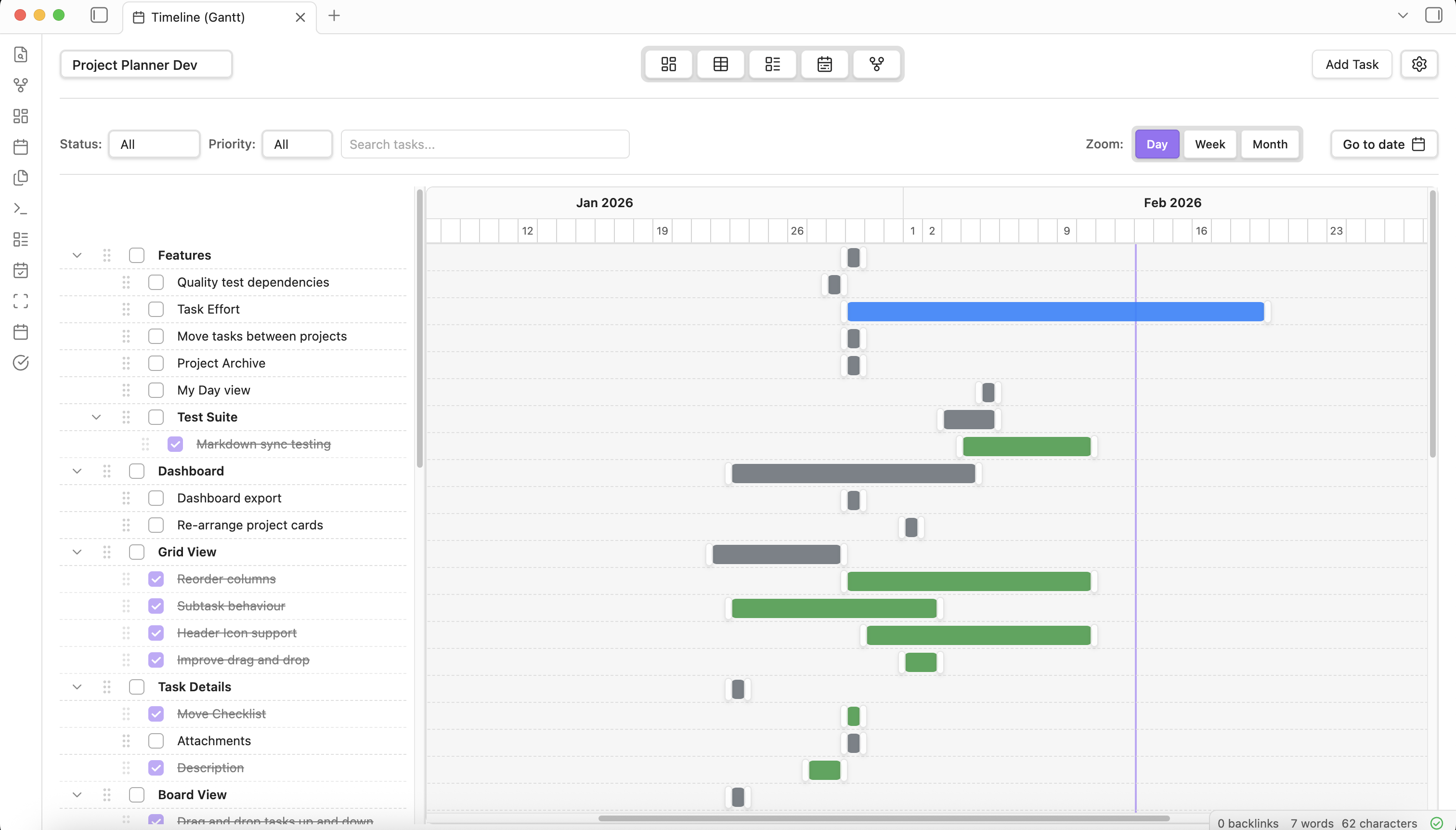
Timeline View

Plan and schedule projects with an interactive Gantt chart. Drag task bars to adjust dates, resize to change duration, and zoom between day, week, and month views for different planning horizons.

  • Interactive drag-and-resize timeline bars
  • Day, week, and month zoom levels
  • Hierarchical task display with collapsible groups
  • Today indicator and smart filtering
  • Split-pane layout with resizable panels
Learn more about Timeline View →
Project Planner Timeline View
🔗 Visualize task relationships

Dependency Graph

See an interactive network diagram of task dependencies. Understand how tasks connect with four dependency types (FS, SS, FF, SF), identify bottlenecks, and trace critical paths through your project.

  • Four dependency types: FS, SS, FF, SF
  • Interactive zoom, pan, and node selection
  • Color-coded nodes by task status
  • Hierarchical and force-directed layouts
  • Click-through to Task Details panel
Learn more about Dependency Graph →
🔗 Dependency Graph screenshot Drop your screenshot here
📝 Everything in one place

Task Details Panel

A dedicated sidebar panel for comprehensive task editing. Manage title, status, priority, tags, dates, descriptions, checklists, dependencies, and links — all without leaving your current view.

  • Edit all task properties in one panel
  • Markdown description with live preview
  • Checklist subtasks with drag-to-reorder
  • Dependency manager with type selection
  • Deep-linkable via URI protocol
Learn more about Task Details Panel →
Project Planner Task Details Panel

Core Features

Beyond views, Project Planner is built on powerful foundations that make your data portable, private, and deeply integrated with Obsidian.

🔄

Bidirectional Markdown Sync

Create tasks in the visual interface or write them directly in markdown — Project Planner keeps everything in sync. Edit YAML frontmatter, use Dataview queries, and integrate with your existing Obsidian workflow.

Learn more →
📄

Markdown-Native Storage

All data lives as plain markdown with YAML frontmatter in your vault. No external databases, no proprietary formats. Your data is human-readable, portable, and will be accessible decades from now.

Learn more →
📆

Daily Notes Tagging

Tag tasks from your Daily Notes and have them automatically imported into Project Planner. Seamlessly bridge your daily journaling workflow with structured project management.

Learn more →
🔗

URI Deep Linking

Link directly to specific tasks from anywhere using Obsidian URI protocol. Share task links in notes, chat, or documentation for instant one-click access.

Learn more →

Rich task properties,
built for real projects

Every task in Project Planner supports a comprehensive set of properties that work across all six views. From simple to-dos to complex project plans, your tasks carry the context you need.

View Data Structure Docs
Custom statuses with configurable colors
🔥 Priority levels: Low, Medium, High, Critical
🏷️ Color-coded tags for categorization
📅 Start dates, due dates, and date ranges
📋 Subtask checklists with progress tracking
🔗 Wiki links and external URL attachments
🗂️ Per-project customizable buckets
📊 Hierarchical parent-child task nesting
↔️ Four dependency types (FS, SS, FF, SF)
📝 Rich Markdown descriptions with preview
🔄 Recurring task patterns (planned)
🎯 Drag-and-drop across all views

Built on Obsidian's philosophy

Project Planner isn't trying to replace Obsidian — it's trying to enhance it. Everything follows the principles that make Obsidian great.

💾

Local-first

No cloud, no accounts, no external databases. Your vault is the single source of truth.

📝

Plain text

Standard markdown with YAML frontmatter. Readable by any text editor, forever.

🔒

Private by design

Zero data leaves your device. Works entirely offline. No telemetry, no tracking.

🔧

Flexible, not prescriptive

Six views, custom statuses, configurable buckets. Your workflow, your rules.

Ready to plan smarter?

Install Project Planner and transform your Obsidian vault into a project management powerhouse.